
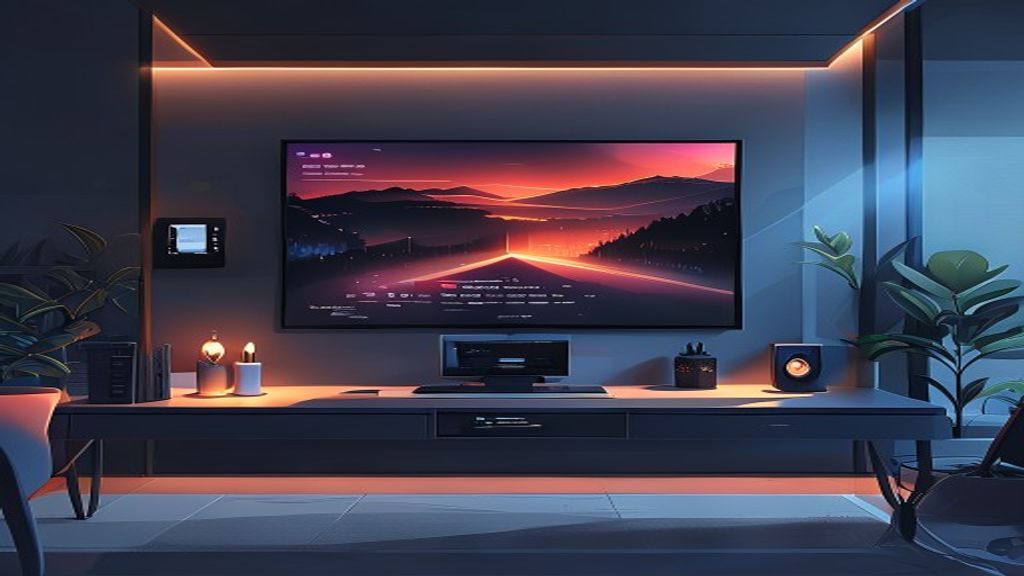
Introduction to LinuxMCE
LinuxMCE (Linux Media Center Edition) is a Ubuntu-based distribution designed to turn a conventional PC into a home entertainment and automation center. It combines audio and video playback, photo management, live TV, video surveillance, IP telephony, and control of home automation devices under a single interface. Its all-in-one approach makes it appealing to users who want an integrated solution without relying on multiple disparate applications. Being free software, it allows deep customization and adaptation to different hardware.
History and Origin
The project was born in 2006 as a fork of PlutoHOME, with the intention of offering a more accessible and end-user-oriented alternative. Since its inception, LinuxMCE has integrated components such as MythTV for TV, Asterisk for VoIP telephony, and Motion for video surveillance, all wrapped in a management layer based on a web server and an event engine. Over the years it has received contributions from a global community that has added new drivers, improved the user interface, and expanded compatibility with modern hardware, always maintaining its philosophy of being an all-in-one free and open-source system.
Main Features
LinuxMCE groups functionalities that normally require separate programs, allowing the user to control everything from a single graphical interface based on Orbiter. Among its most notable features are media playback, recording management, IP telephony, home automation, and internal messaging.
- HD, DVD, Blu‑ray video playback and streaming
- Recording and playback of live TV with MythTV
- VoIP telephony via Asterisk with voicemail and conferencing
- Control of lights, thermostats, blinds, and other Z‑Wave or Insteon devices
- Instant messaging and notifications between orbiters and mobile devices
Multimedia Playback
The multimedia section of LinuxMCE is based on established players such as Xine and VLC, offering support for almost any audio and video format. Users can browse their movie, music, and photo libraries using cover‑type views, create playlists, and access online content from services like YouTube or Internet radio. Moreover, integration with MythTV allows recording of terrestrial, cable, or satellite TV programs and playing them back on any orbiter in the house, including smart TVs and tablets.
Home Automation and Domotics
Home automation is one of the pillars of LinuxMCE, thanks to its event layer that reacts to changes in sensors, device states, or predefined schedules. The system supports popular protocols such as Z‑Wave, Insteon, X10, and KNX, allowing control of lights, locks, thermostats, blinds, and appliances from any orbiter or via voice commands. Users can create custom scenes, such as “Night Mode” that turns off lights, lowers blinds, and adjusts the thermostat, or “Leaving Home” that activates the alarm and simulates presence.
Communication and Messaging
LinuxMCE includes an internal messaging system that allows sending notifications, alerts, and text messages between the various orbiters in the house and mobile devices via the Orbiter app for Android or iOS. This functionality is used to announce events such as the arrival of a visitor, motion detection in cameras, or the end of a recording. Furthermore, integration with Asterisk provides full IP telephony, with voicemail, call forwarding, and conferencing, all accessible from the same interface.
Installation and Requirements
Installing LinuxMCE is relatively straightforward if you start from a compatible Ubuntu LTS distribution. You download the ISO image from the official site, write it to a USB stick or DVD, and boot the machine in live mode to try it or start the installation. During the process, the installer configures the MythTV server, Asterisk, and the automation services, in addition to partitioning the disk and creating the orbiter user. A minimum of 2 GB of RAM, a dual‑core processor, and at least 20 GB of free disk space are recommended for a smooth experience.
Community and Support
Although LinuxMCE does not have the backing of a large corporation, its community of developers and enthusiasts is active and collaborative. The official forums, wiki, and IRC channels offer step‑by‑step guides, troubleshooting, and tips to get the most out of each module. Moreover, there are supplementary package repositories that add support for new hardware, visual themes, and integrations with cloud services. Participating in the community allows you to contribute improvements, report bugs, and keep the project alive and constantly evolving.
Conclusion
LinuxMCE represents a unique option for those seeking a completely free and customizable multimedia and home automation center. Its ability to combine audio and video playback, live TV, IP telephony, video surveillance, and home automation device control under a single interface reduces the complexity and cost of maintaining separate systems. Although the learning curve may be initial for novice users, the time investment is rewarded with a smarter, more entertaining, and connected home. If you value free software and total integration, LinuxMCE deserves a serious try.
This post is also available in ESPAÑOL.